- Resources
- WhatsApp Chatbot for Business: How to Build, Deploy, and Optimize One in 2026
WhatsApp Chatbot for Business: How to Build, Deploy, and Optimize One in 2026
Chaitanya Chokkareddy
Jun 9, 2026 | 16 mins read
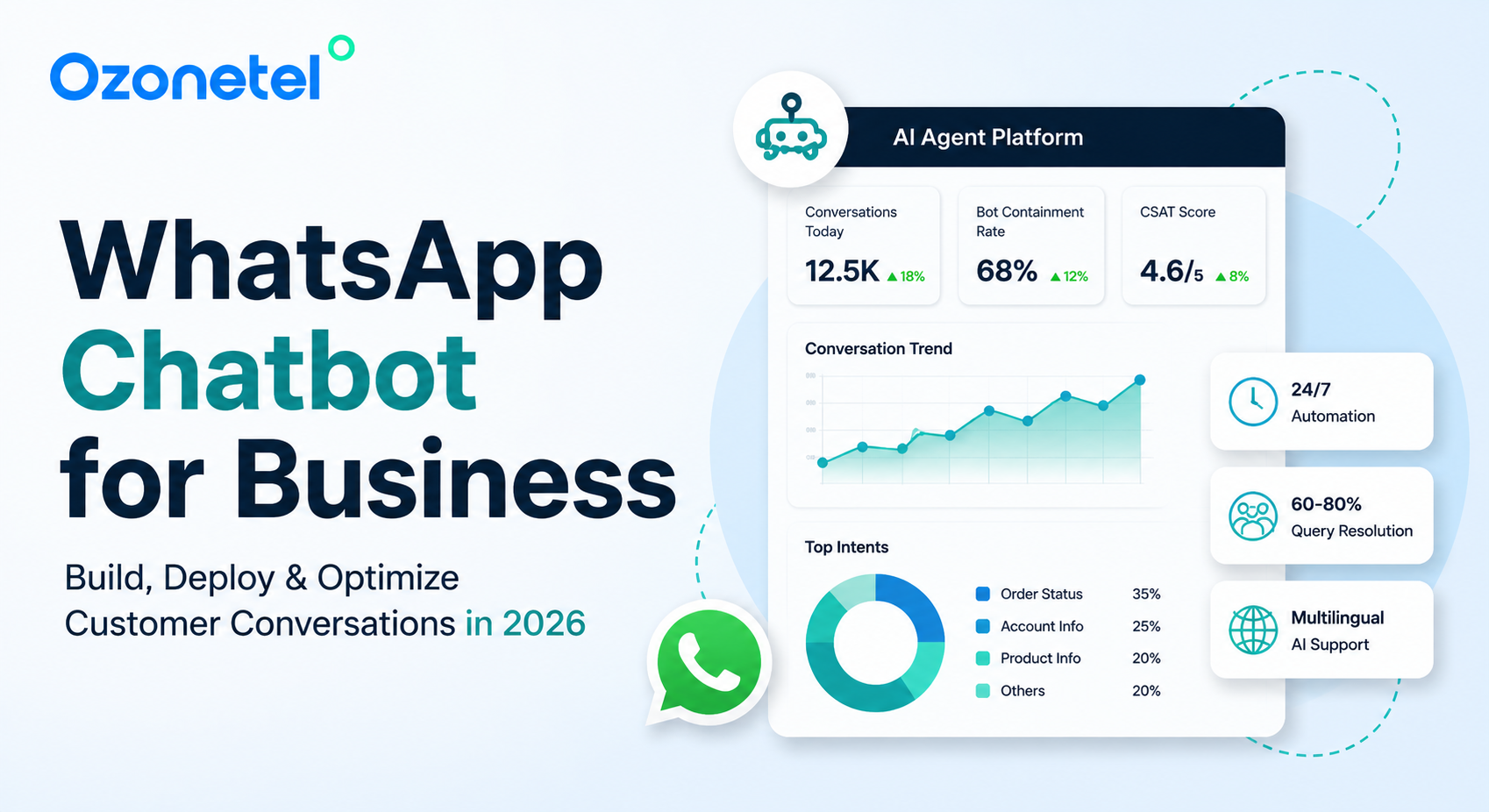
Your customers opened WhatsApp before they opened your website. With 3 billion monthly active users globally and 535 million in India alone, WhatsApp is not a supplementary channel — it is the primary one. The question for contact center leaders in 2026 is not whether to deploy a WhatsApp chatbot. It is how to build one that actually works: that contains Tier 1 queries, escalates intelligently, and proves its value in measurable business outcomes.
This guide is built for buyers evaluating WhatsApp chatbot platforms — and for operations teams who need to build, optimize, and measure one. Every claim is linked to a verified source or a real Ozonetel customer deployment.
Key Takeaways
- WhatsApp has 3B+ monthly active users globally; 535M in India — the world’s largest market.
- WhatsApp messages achieve up to 98% open rates vs. 20–30% for email.
- Rule-based bots handle fixed scripts. AI chatbots understand intent. Agentic AI resolves multi-step journeys end-to-end. Choose based on query complexity, not just budget.
- Bot containment target for Tier 1 queries: 60–80%. Below 50% signals conversation flow design problems — not an AI capability issue.
- Muthoot’s WhatsApp chatbot drove 2.5X order value growth and 150K impressions in 9 months.
- Mahindra’s #KisanBot reached Tier-3 farmers in bilingual (Hindi/regional) conversations — markets previously unreachable through traditional channels.
- MeeSeva delivers 580+ government services via one WhatsApp number using Ozonetel’s agentic AI — 24/7, in English and Telugu.
- India’s DPDP Act 2023 mandates explicit opt-in consent before any outbound WhatsApp chatbot message. Non-compliance risks Meta account suspension
In this article, we will explore:
- 1. What is a WhatsApp Chatbot?
- 2. Why Do Businesses Need WhatsApp Chatbots in 2026?
- 3. 8 High-Impact WhatsApp Chatbot Use Cases (With Verified Outcomes)
- 4. How to Build a WhatsApp Chatbot: 8-Step Guide
- 5. WhatsApp Chatbot Conversation Design
- 6. How to Measure WhatsApp Chatbot Performance
- 7. Multilingual WhatsApp Chatbots for India.
- 8.WhatsApp Chatbot Compliance in India: DPDP Act 2023
- 9. 6 Common WhatsApp Chatbot Mistakes (and How to Avoid Them)
- 10.How Ozonetel’s WhatsApp Chatbot Platform Works
- 11. Conclusion
What Is a WhatsApp Chatbot?
Unlike a web live chat widget or an IVR menu, a WhatsApp chatbot meets customers where they already are. It does not require them to download an app, visit a website, or navigate a phone tree. It runs inside the most-used messaging application in India and over 100 countries globally.
But not all WhatsApp chatbots are the same. The 2026 market has three meaningfully different architectures — and choosing the wrong one is the most common reason deployments underperform.
| Type | How It Works | Best For | Example |
|---|---|---|---|
| Rule-Based Bot | Uses keyword triggers, button menus, and predefined workflows. Responds only to expected inputs and follows fixed decision trees. | High-volume repetitive tasks such as FAQs, order tracking, appointment reminders, and bill payments. | Order tracking bot, appointment reminder bot |
| AI / NLP Chatbot | Uses Natural Language Processing (NLP) and machine learning to understand intent, context, and different ways customers phrase questions. | Lead qualification, multilingual support, customer service, and open-ended conversations. | Sales qualification bot, multilingual support assistant |
| Agentic AI | Multiple autonomous AI agents collaborate to understand intent, validate eligibility, access backend systems, execute actions, make decisions, and escalate to humans only when necessary. | Complex end-to-end service journeys requiring minimal or no human intervention. | MeeSeva Telangana: 580+ government services resolved autonomously through WhatsApp. |
When to start with rule-based and upgrade: rule-based bots are faster to deploy and cheaper to run for well-defined query categories (order status, FAQs, appointment reminders). Upgrade to AI/NLP when query phrasing is too variable for keyword matching — or when bot containment rate plateaus below 50% despite optimized flows.
Why Do Businesses Need WhatsApp Chatbots in 2026?
| Channel | Open Rate | Agent Capacity | Customer Preference (India) |
|---|---|---|---|
| Up to 98% | 3–5 concurrent conversations per agent | Primary customer engagement channel for 535M+ users | |
| 20–30% | Queue-based, asynchronous handling | Declining preference for support interactions | |
| SMS | ~82% | Outbound communication only at scale | Increasingly replaced by WhatsApp for rich customer interactions |
| Voice (IVR) | N/A — Based on pickup rate | 1 call per agent | Preferred for complex issues, escalations, and high-touch support scenarios |
Four data points that explain the shift:
- WhatsApp messages achieve up to 98% open rates 20–30% for email (Wapikit, 2025)
- Agents handling omnichannel messaging can manage 3–5 simultaneous conversations 1 voice call — a direct cost-per-resolution gain
- Businesses deploying AI chatbot automation report 25–40% reduction in inbound call volume as customers self-serve (8×8 White Paper via Retell AI)
- 69% of consumers are more likely to buy from a business accessible on WhatsApp; 56% abandon when response is slow (Dragapp, 2025)
Beyond the engagement metrics: WhatsApp chatbots reduce cost per interaction, enable 24/7 availability without overnight staffing, and — when built correctly — deliver higher CSAT than overloaded human-only queues.
8 High-Impact WhatsApp Chatbot Use Cases (With Verified Outcomes)
1. Customer Support and Tier 1 Deflection
FAQ resolution, order status checks, account balance queries, and service status updates — the repetitive queries that consume agent bandwidth without requiring human judgment. A well-built WhatsApp chatbot should contain 60–80% of these without escalation. Customers get instant answers 24/7; agents handle only the conversations that actually need them.
2. Lead Qualification and Sales
Intent classification, BANT (Budget, Authority, Need, Timeline) qualification, product recommendation, and handoff to a sales agent with pre-qualified context. The agent receives a summary of what the customer wants, their budget range, and their timeline — before typing a word. Mahindra’s #KisanBot is the live example below — Tier-3 farmers pre-qualified for farm equipment purchases across bilingual Hindi/regional language flows.
Case Study: Mahindra Farm Machinery — #KisanBot
Tier-3 Rural Market Penetration 24/7 AI-Powered Bilingual Support
Mahindra deployed #KisanBot via Ozonetel — an AI WhatsApp chatbot for farmers aged 28–65 across Tier-3 markets, enabling product awareness, dealer location, and purchase guidance in Hindi and regional languages.
- Farmers connected with Mahindra directly on WhatsApp from anywhere — no branch visit or call center required
- Bulk WhatsApp campaigns drove product awareness in markets previously unreachable through traditional advertising
- AI chatbot categorized query patterns (product, service, dealer, complaint) for faster, more relevant routing to sales teams
- Sales teams received pre-qualified leads with full conversation context — reducing time-to-response significantly
- End-to-end encryption built trust among rural users new to digital business communication
3. Proactive Outbound Notifications
EMI reminders, order dispatch notifications, appointment confirmations, delivery alerts, and policy renewal prompts — sent proactively before customers need to call in. Muthoot’s deployment is the benchmark: 43,500 automated EMI reminder calls in 5 months, a 5–8% improvement in EMI collection, and ₹2,00,000 in agent cost savings — by automating a task that previously consumed two dedicated agent headcounts.
Case Study: Muthoot Gold Bullion Corporation
2.5X Average Order Value Growth 150K WhatsApp Impressions in 9 Months
Muthoot launched Indivara — a zero-inventory gold jewelry vertical — using Ozonetel’s WhatsApp chatbot to distribute digital catalogs across their 5M+ customer base. Customers browsed via WhatsApp, purchased at the nearest branch.
- WhatsApp chatbot deployed digital jewelry catalogs instantly — no retail stores, no printed materials needed
- Average order value grew from ₹20,000 to ₹50,000 (2.5X) through targeted WhatsApp campaigns and data analytics
- 150,000 WhatsApp impressions achieved within 9 months of launch
- Voice bot added for EMI reminders: 43,500 automated calls in 5 months, ₹2,00,000 in cost savings, 5–8% EMI collection improvement
- ERP synced with WhatsApp catalog for single-step inventory updates across all centers
Since we follow a zero inventory, phygital model for the jewellery vertical we are indebted to Ozonetel for quickly deploying these tech for our Go To Market strategy.” — Haridas P.C., AGM, Muthoot Gold Bullion Corp
4. WhatsApp Catalog and Conversational Commerce
Product discovery, catalog distribution, size/variant selection, and payment initiation — entirely within WhatsApp. The Muthoot case above demonstrates what a WhatsApp catalog deployment looks like at the NBFC scale (₹50,000 average order on a zero-inventory model). For D2C brands, abandoned cart recovery rates of 45–60% are achievable in high-intent product categories when the recovery message arrives via WhatsApp rather than email.
5. Campaign Engagement and Customer Re-activation
Hyper-personalized outbound campaigns to opted-in customer segments — loyalty program communications, event promotions, dormant customer re-engagement. Deltin’s Star Weekend campaign is the benchmark for what WhatsApp campaign performance looks like when executed correctly on a platform like Ozonetel.
Case Study: Deltin — Star Weekend Campaign
3X Revenue Increase 89% WhatsApp Delivery Rate
Deltin used Ozonetel’s WhatsApp platform for a hyper-personalized, AI-driven loyalty campaign — deploying celebrity-led video messages to targeted customer segments for their Star Weekend event.
- 89% WhatsApp delivery rate — 3X higher than Deltin’s traditional channel benchmarks
- 70% open rate for WhatsApp video messages — a 5X improvement over prior campaigns
- 16% of dormant customers reactivated through personalized WhatsApp outreach
- 100% event bookings achieved within two weeks of campaign launch
- 7,800 event footfalls — a new record for Deltin
- 3X revenue increase attributed to wider reach and hyper-personalized WhatsApp engagement
6. Government and Public Services at Scale
Citizen service delivery, eligibility guidance, certificate applications, payment processing, and status tracking — at government volume. The MeeSeva deployment below is the most comprehensive live example of agentic AI on WhatsApp in India.
Case Study: MeeSeva — Government of Telangana
580+ Government Services via WhatsApp 24/7 Agentic AI — No Queues, No Forms
The Government of Telangana deployed MeeSeva services on WhatsApp (Nov 2025), powered by Ozonetel’s agentic AI — enabling citizens to access 580+ government services through a single WhatsApp number (8096958096), without visiting a physical center.
- Agentic AI: multiple autonomous agents work together to understand intent, validate eligibility, trigger payments, and deliver certificates directly on WhatsApp
- Supports English and Telugu — handles code-switching and regional language variations
- Services include bill payments, certificate applications, registration slot booking, exam hall ticket downloads, and crop price queries
- Significant reduction in physical MeeSeva centre footfall — lower cost per transaction through intelligent automation
• Repeatable model being adapted for additional public services across Telangana
7. NBFC, Fintech, and Banking
Loan application status, EMI reminders, KYC document collection, account balance queries, OTP delivery, and fraud alerts. WhatsApp’s end-to-end encryption and high open rates make it the preferred channel for time-sensitive financial communications. WhatsApp Flows enable secure document upload (ID photos, income proofs) within the conversation thread, eliminating the friction of redirecting to a web form. See Ozonetel’s NBFC CX platform.
8. Healthcare
Appointment reminders, lab report delivery, post-discharge follow-ups, prescription refill alerts, and symptom triage. WhatsApp appointment reminders reduce no-show rates by 25–35% compared to SMS or IVR calls in India. Post-discharge follow-up bots that check on patient recovery also significantly reduce readmission rates in high-volume hospital deployments.
How to Build a WhatsApp Chatbot: 8-Step Guide
1.Define your bot’s single purpose — The most effective first chatbots do one thing well: lead qualification, FAQ handling, or appointment booking. Multi-purpose bots fail more often than single-purpose ones. Pick the highest-volume, lowest-complexity query category your team handles today. That is your starting point.
2.Get WhatsApp Business API access through a certified BSP — You cannot deploy a WhatsApp chatbot without the WhatsApp Business API (WABA) via a Meta-certified Business Solution Provider (BSP). The BSP provisions your WhatsApp number, manages message template approvals with Meta, and connects the API to your contact center platform. Verify BSP status at whatsapp.com.
3.Map your conversation flow — intent, response, escalation — This is the step most guides skip and most deployments get wrong. Map out: (a) every intent your bot should recognize, (b) the response for each intent, (c) fallback behavior when intent is unclear, and (d) escalation triggers — the exact conditions that route to a live agent. Common escalation triggers: 3 consecutive failed intent classifications, any mention of ‘complaint,’ ‘legal,’ or ‘fraud,’ or account value above a defined threshold.
4.Configure rich media and WhatsApp Flows — WABA supports images, PDFs, videos, voice notes, product catalogs, interactive buttons, list menus, and WhatsApp Flows (structured in-chat forms). Flows let customers complete multi-step actions — booking, document upload, payment initiation — without leaving WhatsApp. Use buttons for known options (reduces misclassification); free text for open-ended queries.
5.Set up opt-in consent flows — mandatory for India — Under India’s DPDP Act 2023, explicit opt-in consent is required before any outbound WhatsApp message. Configure consent collection at every customer touchpoint: web checkout, IVR confirmation, in-app toggle. Maintain a Do-Not-Contact list and automate opt-out processing. This is not optional — Meta suspends WABA numbers that receive high block rates from recipients.
6.Integrate with CRM and backend systems — CRM integration must be live before go-live, not after. Minimum requirement: contact matching on phone number, conversation logging to CRM timeline, order/account status lookup, and ticket creation. Ozonetel has native connectors for Salesforce, Zoho CRM, HubSpot, Freshdesk, Zendesk, and LeadSquared — no middleware required. The Agent Assist layer surfaces this CRM context to the agent at the moment of escalation.
7.Test with structured test cases before launch — Happy path testing (every correct input flows as expected), edge case testing (unusual phrasing, regional language inputs, emoji-only messages), fallback testing (what happens when bot says ‘I didn’t understand’), escalation testing (confirm triggers fire correctly), and load testing at peak volume. Common pre-launch failures: incorrect rich media rendering, wrong account data returned, bot failing to escalate on trigger phrases.
8.Go live and monitor the right KPIs from Day 1 — Configure dashboards for bot containment rate, first response time, escalation rate, session completion rate, and CSAT before launch. The first 30 days of live data will reveal which intent categories the bot mishandles most — those become your first optimization sprint.
WhatsApp Chatbot Conversation Design: 7 Principles That Separate Good from Bad
1. Open With Context, Not a Generic Greeting
Bad: “Hello! How can I help you today?”
Good: “Hi Priya! I’m Maya, Ozonetel’s WhatsApp assistant. I can help with billing queries, order status, or connecting you to our team. What do you need?”
The good version sets expectations, personalises the greeting (CRM lookup on phone number), and frames the bot’s scope — reducing off-topic inputs that trigger fallback responses.
2. Use Buttons for Known Options, Free Text for Variable Queries
Button menus reduce intent misclassifications significantly. If a query has 4–6 predictable answers, use buttons. Reserve free text for open-ended inputs where customer phrasing is genuinely unpredictable. Mixing buttons and free text in a single flow — prompting free text after a button selection — is the most common cause of mid-flow drop-off.
3. Design Fallbacks Before Flows
Every unrecognized input needs a fallback that doesn’t make the customer feel stuck. A good fallback: “I didn’t catch that — let me help you differently. Are you looking for: [Order status] [Billing] [Speak to an agent]?” A bad fallback: “Sorry, I don’t understand. Please try again.” The difference is whether the customer has a path forward.
4. Set Escalation Expectations Before Handoff
Customers hate silent transfers. Before routing to a live agent, the bot should say: “I’m connecting you with our team now. Typical wait time is about 3 minutes. They’ll have full context from our conversation so you won’t need to repeat anything.” The second sentence — confirming context transfer — is the most underused trust-builder in escalation design.
5. Keep Messages to 2–3 Sentences Per Bubble
WhatsApp is a messaging application, not an email client. Bot messages longer than 3 sentences get abandoned before the customer reads to the CTA. Split long responses into sequential bubbles (2–3 seconds apart) or use structured buttons and list menus to replace prose.
6. Personalize From Message One Using CRM Data
“Hi Priya, I can see your order #45823 is currently in transit and estimated to arrive by June 8th.” vs. “Please provide your order number.” The first builds trust; the second burns it. CRM integration must happen before go-live — not as a Phase 2 addition. Ozonetel’s Agent Assist surfaces contact history, account data, and sentiment at the point of both bot handling and human escalation.
7. A/B Test the First Message
The opening message determines whether the customer engages or ignores the bot. In high-volume outbound campaigns, even a 5% improvement in first-message response rate compounds significantly across thousands of conversations. Test: message length (shorter vs. longer), opening phrase (question vs. statement), emoji inclusion (improves open rate in some segments, reduces it in others), and CTA placement (button first vs. context first).
How to Measure WhatsApp Chatbot Performance
| KPI | What It Measures | Target | Red Flag |
|---|---|---|---|
| Bot Containment Rate | Percentage of conversations resolved without human agent escalation. | 60–80% for Tier-1 support | Below 50% indicates a flow design problem rather than an AI problem. |
| First Response Time | Time between the customer message and the bot’s first response. | Under 5 seconds | Over 30 seconds risks losing customer engagement. |
| Escalation Rate | Percentage of conversations transferred to a live agent. | 20–40% | Above 60% suggests bot scope is too broad or conversation flows are too shallow. |
| Session Completion Rate | Percentage of conversations reaching a defined successful outcome without abandonment. | Above 70% | Below 50% indicates excessive friction in the customer journey. |
| CSAT Per Conversation | Customer satisfaction score comparison between bot-led and agent-led interactions. | Track both separately | Bot CSAT more than 15 points below agent CSAT signals poor escalation design. |
| Opt-Out Rate on Outbound | Percentage of recipients who block the business or opt out after receiving outbound campaign messages. | Below 2% | Above 3% may trigger Meta quality reviews and impact WABA reputation. |
Ozonetel’s Voice of Customer layer extends analytics across WhatsApp and voice — surfacing sentiment, intent patterns, and resolution quality in a single dashboard, with WhatsApp reported as a distinct channel with its own SLA thresholds.
Multilingual WhatsApp Chatbots for India.
India has 535 million WhatsApp users across 22 scheduled languages. The five highest-demand regional language markets for WhatsApp business automation are Hindi, Tamil, Telugu, Marathi, and Bengali. Customers in these markets frequently send messages that mix English and their regional language in a single message — a linguistic pattern called code-switching — which global NLP models trained on monolingual datasets handle poorly.
What to Evaluate in a Multilingual Bot
- Native multilingual NLP — intent detection trained on Indian language data, not English-to-regional-language translation layer (translation introduces latency and loses colloquial meaning)
- Code-switching support — can the bot handle a message like “mera order kab aayega?” (Hindi) after a preceding English message without breaking flow?
- Transliteration handling — Indian users frequently write Hindi in Roman script (“kab aayega”) rather than Devanagari; the bot must handle both
- Regional script rendering — ensure WhatsApp correctly renders Tamil, Telugu, Kannada, and Bengali scripts in chatbot messages across device types
Ozonetel in Practice
Mahindra’s #KisanBot is the most rigorous production test of multilingual WhatsApp chatbot capability in India — a bilingual (Hindi/regional language) bot built for farmers aged 28–65 in Tier-3 markets, covering product queries, dealer location, and purchase guidance. The MeeSeva deployment handles English and Telugu at government scale, including intent detection across code-switched inputs.
WhatsApp Chatbot Compliance in India: DPDP Act 2023
The DPDP Act 2023 establishes the following requirements for WhatsApp business messaging:
- Explicit opt-in consent required before any outbound message — marketing, utility, or authentication. ‘Implied’ consent (customer gave you their number at purchase) is not sufficient.
- Consent must be granular — a customer who consents to transactional messages (order updates, EMI reminders) has not automatically consented to marketing messages. These require separate opt-ins.
- Every outbound message must include a clear opt-out mechanism — typically a ‘Reply STOP to unsubscribe’ instruction or a button
- Opt-out requests must be processed immediately and the number must be added to a Do-Not-Contact registry before the next outbound send
- Audit trails of consent — who consented, to what message category, at what timestamp — must be maintainable for regulatory review
6 Common WhatsApp Chatbot Mistakes (and How to Avoid Them)
Mistake 1: Building Multi-Purpose Before Proving Single-Purpose
Trying to handle 20 query types in a first deployment produces a bot that handles all of them poorly. Start with the one query category that is highest volume and lowest complexity. Achieve 70%+ containment on that category before expanding scope.
Mistake 2: Over-Automating Without Defined Escalation Triggers
Bots that do not know when to stop hurt CSAT more than bots with narrow scope. Define escalation triggers before building the bot, not after go-live. Emotion keywords (“frustrated,” “disappointed,” “complaint”), consecutive failed classifications (3 in a row), and high-value account flags should all trigger immediate human handoff.
Mistake 3: Ignoring Template Approval Timelines
Meta’s review cycle for new HSM (Highly Structured Message) templates is 3–7 business days — see Meta’s official documentation. Common rejection reasons: promotional language in utility templates, missing opt-out instructions in marketing templates, variable placeholders that lack context. Plan template approval as a non-compressible pre-launch task, not a Day 1 activity.
Mistake 4: Treating WhatsApp Like Email
WhatsApp conversations are short, conversational, and asynchronous. Agents and bots that write paragraph-length replies lose customers before they reach the CTA. Enforce a 3-sentence maximum per message bubble. Voice agents transitioning to WhatsApp support need targeted training — the communication register is completely different.
Mistake 5: No Opt-In Strategy Before First Outbound Send
Sending outbound WhatsApp messages to contacts who have not explicitly opted in is the fastest path to Meta suspending your WABA number. Build your consent collection infrastructure before your chatbot goes live — not as an afterthought when the first campaign is ready to send.
Mistake 6: Poor Context Transfer at Escalation
When a bot escalates to a human agent, the agent must see everything the bot collected — customer name, query type, account details, and every answer the customer already gave. If the agent asks a question the bot already asked, CSAT drops immediately. This is the most frequently cited WhatsApp chatbot implementation failure in India. Ozonetel’s omnichannel routing carries the full conversation context through escalation — no repeat, no friction.
How Ozonetel’s WhatsApp Chatbot Platform Works
Ozonetel is a Meta-certified WhatsApp Business Solution Provider and AI-powered cloud contact center platform. The WhatsApp chatbot is not a standalone product — it is built into the same routing, agent desktop, CRM integration, and analytics infrastructure as voice and other digital channels.
| Capability | What Ozonetel Delivers |
|---|---|
| No-Code Chatbot Builder | Operations teams can configure, launch, and manage WhatsApp chatbot flows without relying on developers or custom coding. |
| Unified AI Layer | The same conversational AI engine powers both WhatsApp bots and voice IVR, ensuring one knowledge base and consistent responses across channels. |
| Omnichannel Routing | WhatsApp escalations enter the same ACD queue as voice calls, using identical routing logic, skill groups, priorities, and SLA policies. |
| Agent Desktop | Unified workspace combining WhatsApp, voice, and email interactions. Agent Assist surfaces CRM records, conversation history, and sentiment insights before response. |
| Agentic AI | Multi-agent autonomous AI systems capable of handling complete customer journeys end-to-end, as demonstrated in the MeeSeva Telangana deployment supporting 580+ services. |
| CRM Integration | Native integrations with Salesforce, Zoho, HubSpot, Freshdesk, Zendesk, and LeadSquared. Conversations are automatically logged and tickets can be created automatically. |
| Analytics | Voice of Customer analytics and Quality Audits with WhatsApp tracked as a dedicated channel using channel-specific KPI benchmarks and reporting. |
| Multilingual Support | Supports Hindi, Telugu, Tamil, and other regional languages, including code-switched conversations commonly used across Tier-2 and Tier-3 Indian markets. |
| DPDP Compliance | Built-in opt-in consent automation, Do-Not-Contact management, consent audit trails, and India-based data residency support for regulatory compliance. |
| Deployment | Typical implementation takes 10–14 business days from onboarding to a live WhatsApp chatbot deployment for a new WhatsApp Business Account (WABA). |
Conclusion
A WhatsApp chatbot built correctly does three things simultaneously that voice-only and email-only support cannot: faster Tier 1 resolution through 24/7 automation, lower cost per interaction through agent concurrency and bot containment, and better customer experience through the channel customers in India already prefer and trust.
The businesses that have built this infrastructure — Muthoot with a 2.5X order value lift, Deltin with 3X campaign revenue, Mahindra reaching Tier-3 farmers who had never engaged the brand digitally, and the Government of Telangana delivering 580+ public services through one WhatsApp number — have a customer engagement foundation that competitors will take years to replicate.
The chatbot is the entry point. The differentiator is the platform behind it: how conversations are routed, how agents are supported at escalation, how performance is measured, and how compliance is maintained — automatically.
Ready to deploy a WhatsApp chatbot that actually contains queries and converts?
Chaitanya Chokkareddy
Chaitanya Chokkareddy is an AI innovator and pioneer in India’s cloud communication space. He play...
Chaitanya Chokkareddy
Chaitanya Chokkareddy is an AI innovator and pioneer in India’s cloud communication space. He played a key role in launching the country’s first cloud telephony platform (2009) and early cloud contact center solutions (2011), driving the shift to cloud-based CX. Beyond enterprise innovation, he contributes to open technology initiatives through Swecha Telangana, training 100,000+ interns in AI and supporting Telugu LLM initiatives, while mentoring founders and sharing insights through SaaSBoomi.
Frequently Asked Questions
A WhatsApp chatbot is a general term covering rule-based bots, AI/NLP chatbots, and agentic AI systems. A WhatsApp AI agent specifically refers to an NLP-powered system that understands natural language intent rather than matching keywords or button selections. An agentic AI goes further — it can execute multi-step actions autonomously (trigger a payment, validate eligibility, deliver a certificate) without a human in the loop. Ozonetel’s MeeSeva deployment is the most advanced live example of an agentic WhatsApp AI agent in India.
There are three cost components: (1) Meta’s per-message fee, which varies by message category (utility, marketing, authentication, service) — service messages after a customer-initiated conversation are generally free; (2) the BSP platform fee, charged by your WhatsApp API provider; and (3) chatbot setup and maintenance costs if you use a no-code builder. For current India-specific Meta pricing, see Meta’s official pricing page. Always request an itemised cost breakdown from your BSP before signing.
Yes — if the underlying NLP is trained on Indian language data. Global models trained primarily on English perform poorly on Hindi, Tamil, Telugu, and code-switched inputs (messages that mix English and a regional language). Ozonetel’s platform supports Hindi and regional language NLP natively, including code-switching — as demonstrated in the Mahindra KisanBot deployment for Tier-3 farmers.
Bot containment rate is the percentage of conversations resolved by the chatbot without human agent escalation. A well-configured chatbot handling Tier 1 queries (FAQs, order status, account balance) should achieve 60–80% containment. Below 50% almost always indicates conversation flow design problems — the bot’s scope is too wide, fallback handling is weak, or escalation triggers fire too early. It is rarely an AI model limitation.
Yes. The WhatsApp Business App (the free download) does not support multi-agent workflows, CRM integration, or programmable automation — making a real chatbot deployment impossible. The WhatsApp Business API (WABA), accessed through a certified BSP, is the only path to a contact center-grade WhatsApp chatbot. For a detailed comparison, see WhatsApp API vs. WhatsApp Business App.
Configure explicit opt-in consent collection at every customer touchpoint before your chatbot sends any outbound message. Maintain separate opt-ins for transactional and marketing message categories. Automate opt-out processing — every opt-out request must be actioned before the next campaign send. Maintain a consent audit trail (who, when, what category) for regulatory review. Ozonetel’s platform automates all of this as part of the standard WABA deployment.
A well-designed bot triggers a graceful fallback — offering the customer a structured path forward rather than a dead end. After 2–3 consecutive failed intent classifications, the bot should automatically offer escalation to a live agent. The escalation must carry full conversation context so the agent does not ask repeat questions. This context transfer is configured in Ozonetel’s omnichannel routing layer at setup.
For a new WABA setup: Meta Business Verification (3–5 days) + number provisioning (1–2 days) + template approval (3–7 days) + bot flow configuration and CRM integration (3–5 days) + agent training + go-live. Total: 10–14 business days for a standard deployment. For businesses migrating from another BSP with existing Meta verification, 5–7 business days. See Ozonetel’s WhatsApp Business Solution for current onboarding details.