Virtual call centers have emerged as a true pandemic-era winner.
Most industries were rocked by Covid-19, particularly those requiring close physical proximity. Traditional call centers with agents lined up in row after row would be included in this category. And if an in-office setup was the only option, the entire industry might have collapsed.
Fortunately, virtual call centers can be used to replace in-office operations. These are staffed partially or entirely by agents who are working from home. In 2019, at Ozonetel, weÂ
A remote working team is safer and less prone to downtime. This alone makes virtual centers invaluable, and managers have realized other advantages in going remote.
Virtual call centers open up the labor market, reduce office expenses, and are much easier to scale up or down.
They’re taking off as a lean, efficient, and agile workforce option. But as fantastic as virtual call centers are, they have introduced a few unique problems.
Monitoring call center performance is a little tricky when agents are working from home.
You can still check performance statistics, listen to call recordings, and analyze their work output, but there’s only so much you can do without direct oversight.
The inability to personally monitor virtual call center agents leads to a few problems with productivity, training, and giving general supervision.
For example, how do you oversee after call work in a remote call center? Or determine the cause of a productivity dip?
If you’re only working with performance metrics, you’ll have no way of knowing if an agent was slacking off, ran into software trouble, or simply wasn’t trained well.
You still need to keep tabs on them, but remote call center managers can unintentionally come across as overbearing or distrustful.
And without clear visibility into agent activity, you run the risk of wrongfully accusing employees of poor behavior.
It’s also harder to assist agents who are having trouble with your system, without the ability to see where they’re going wrong and interact with their working interface.
Remote work is good for productivity, but agent focus and morale can easily slip.
So, what’s a better way to do remote call center management? How do you determine what’s going on without being overbearing, pushy, suspicious, wrongfully accusing them, or breathing down your agents’ necks?
And how can you quickly guide new agents experiencing trouble with your system?
These are new issues brought about by the shift in work culture. And they require a new solution.

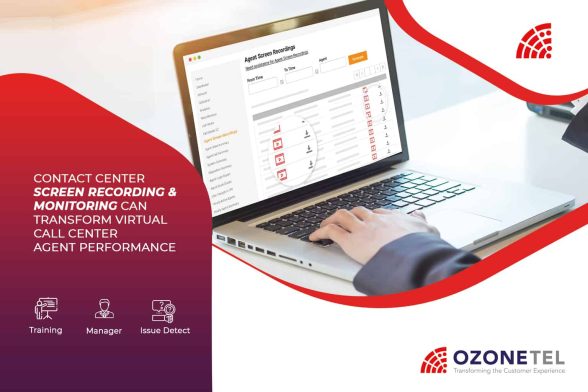
We just rolled out contact center screen recordings and screen barge-in. This feature does exactly what it says.
You can view, record, and control your agents’ screens. Anytime they are working or supposed to be, you get to see, archive, and interact with their entire working interface.
You can record your agents’ entire working time without being intrusive or overbearing. It only captures their screen while they are working, not on break or logged off. And since the tool is built right into CloudAgent, there’s nothing for your agents to download or install.
You can capture as many agent screens as you want. You might want to record all of them or concentrate your call quality monitoring on a select group.
When agents experience trouble performing after call work or using the CRM, supervisors can quickly step in with screen barge-in. Taking control of an agent’s screen is far more effective than attempting to explain verbally or with help documents.
This is great for record-keeping as well. You can develop your own archive for training purposes, to assist with potential customer complaints, or to review an agent’s work progress.
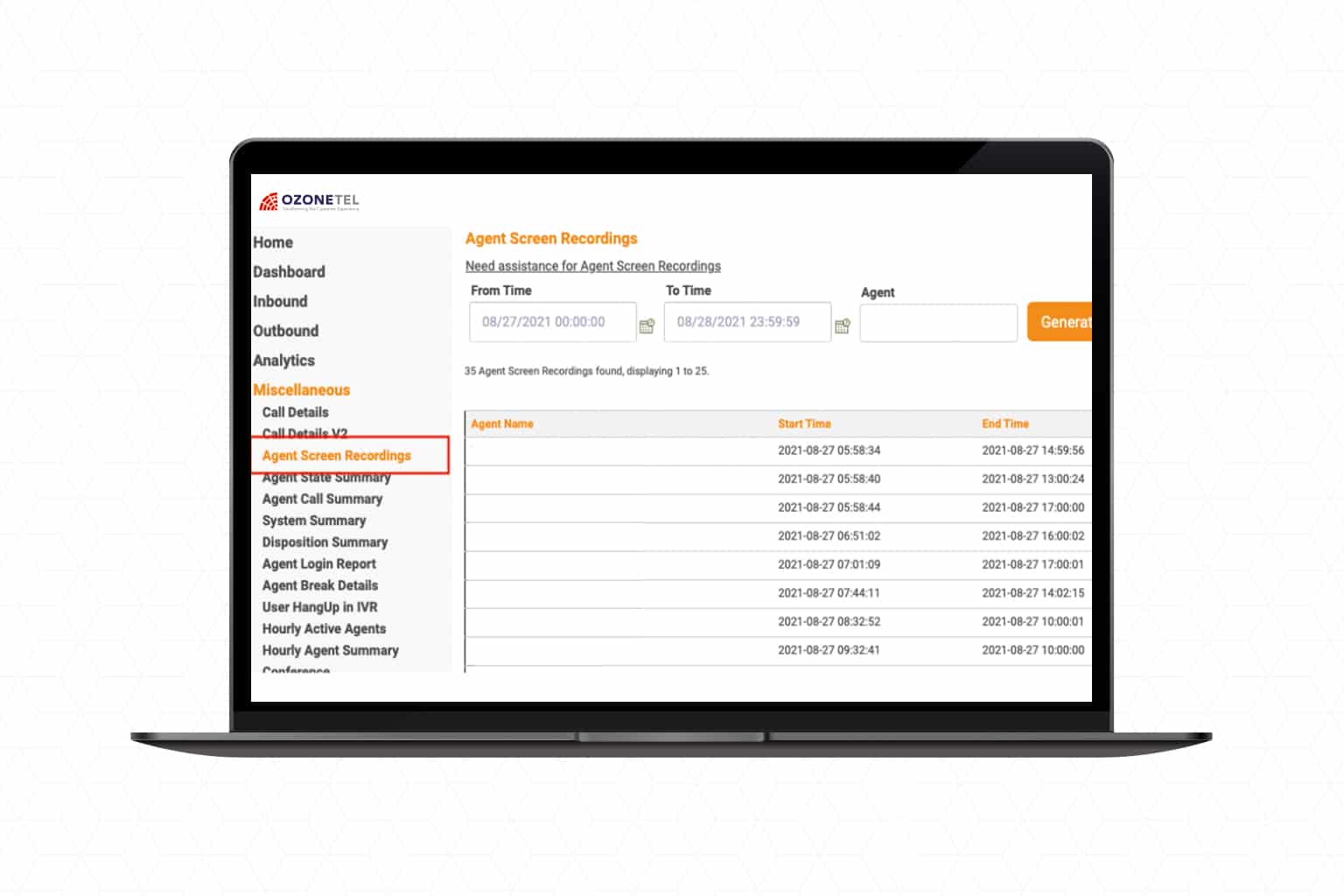
Contact center screen recordings can add up quickly. So, we make it easy to find what you want with search filter parameters like handle time or wrap time. You can also see the recordings for each service agent or any call ticket.
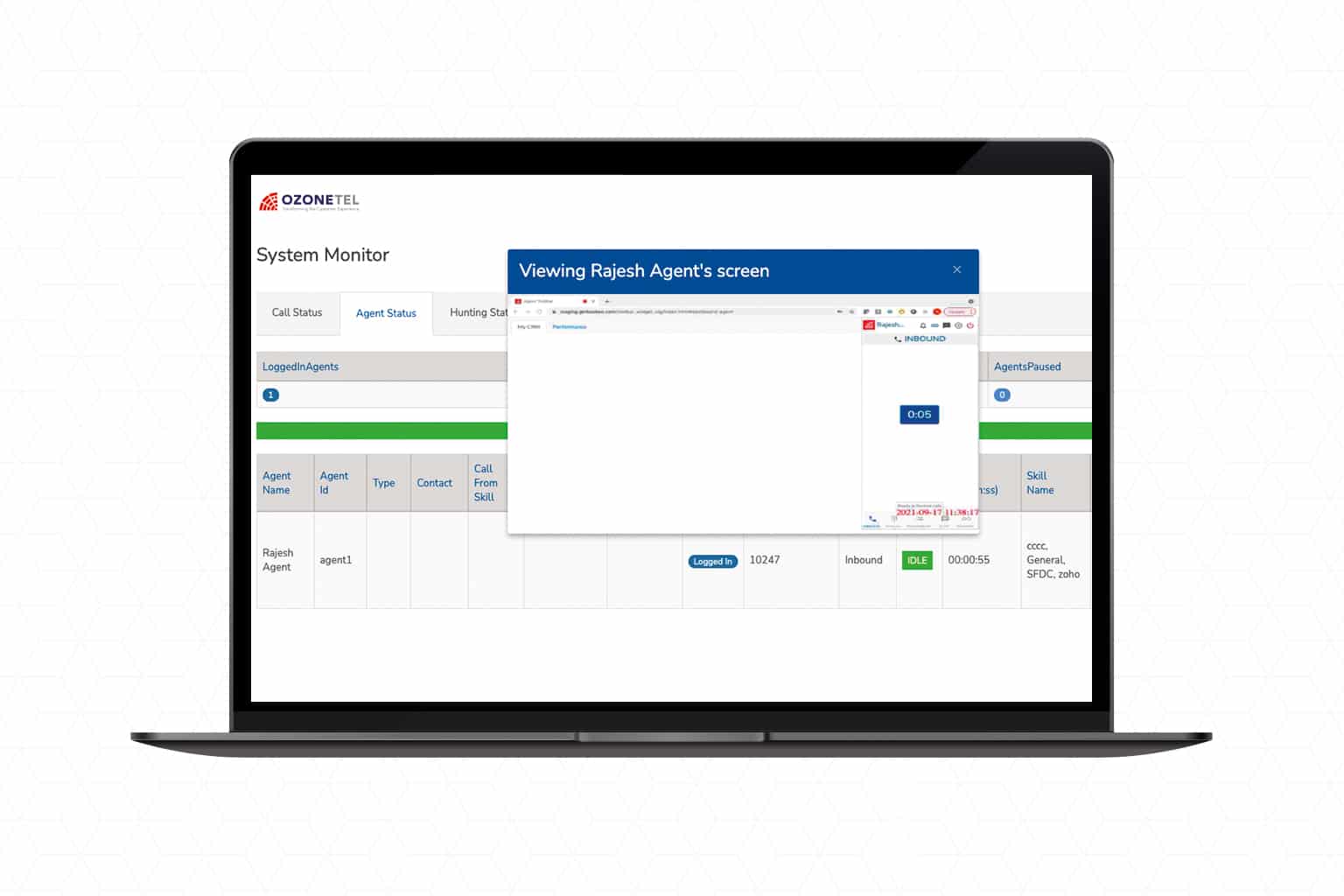
With CloudAgent, you can already listen in on agent calls, record them, and interrupt when necessary. We felt it was time to extend these management capabilities to agent screens as well.
That’s because monitoring call center performance is getting increasingly difficult. Remote call center management demands a new set of tools specialized for it. And even if your agents aren’t remote, it isn’t efficient for supervisors to stand behind every agent who needs assistance or extra help.
Now you can supervise and interact with every agent right from your own dashboard. Whether your agents are working on-premises or off, our latest feature gives you everything you need to improve agent performance in your call center.
What problems are you experiencing with remote call center management? You can improve your virtual team’s performance with our interactive contact center screen recording tool.
Implementing it across your call center will improve your call quality monitoring and agent supervision.
Discover more about contact center screen recordings & screen monitoring or ask for a free trial here.
Virtual call centers have emerged as a true pandemic-era winner.
Most industries were rocked by Covid-19, particularly those requiring close physical proximity. Traditional call centers with agents lined up in row after row would be included in this category. And if an in-office setup was the only option, the entire industry might have collapsed.
Fortunately, virtual call centers can be used to replace in-office operations. These are staffed partially or entirely by agents who are working from home. In 2019, at Ozonetel, weÂ
A remote working team is safer and less prone to downtime. This alone makes virtual centers invaluable, and managers have realized other advantages in going remote.
Virtual call centers open up the labor market, reduce office expenses, and are much easier to scale up or down.
They’re taking off as a lean, efficient, and agile workforce option. But as fantastic as virtual call centers are, they have introduced a few unique problems.
Monitoring call center performance is a little tricky when agents are working from home.
You can still check performance statistics, listen to call recordings, and analyze their work output, but there’s only so much you can do without direct oversight.
The inability to personally monitor virtual call center agents leads to a few problems with productivity, training, and giving general supervision.
For example, how do you oversee after call work in a remote call center? Or determine the cause of a productivity dip?
If you’re only working with performance metrics, you’ll have no way of knowing if an agent was slacking off, ran into software trouble, or simply wasn’t trained well.
You still need to keep tabs on them, but remote call center managers can unintentionally come across as overbearing or distrustful.
And without clear visibility into agent activity, you run the risk of wrongfully accusing employees of poor behavior.
It’s also harder to assist agents who are having trouble with your system, without the ability to see where they’re going wrong and interact with their working interface.
Remote work is good for productivity, but agent focus and morale can easily slip.
So, what’s a better way to do remote call center management? How do you determine what’s going on without being overbearing, pushy, suspicious, wrongfully accusing them, or breathing down your agents’ necks?
And how can you quickly guide new agents experiencing trouble with your system?
These are new issues brought about by the shift in work culture. And they require a new solution.

We just rolled out contact center screen recordings and screen barge-in. This feature does exactly what it says.
You can view, record, and control your agents’ screens. Anytime they are working or supposed to be, you get to see, archive, and interact with their entire working interface.
You can record your agents’ entire working time without being intrusive or overbearing. It only captures their screen while they are working, not on break or logged off. And since the tool is built right into CloudAgent, there’s nothing for your agents to download or install.
You can capture as many agent screens as you want. You might want to record all of them or concentrate your call quality monitoring on a select group.
When agents experience trouble performing after call work or using the CRM, supervisors can quickly step in with screen barge-in. Taking control of an agent’s screen is far more effective than attempting to explain verbally or with help documents.
This is great for record-keeping as well. You can develop your own archive for training purposes, to assist with potential customer complaints, or to review an agent’s work progress.
Contact center screen recordings can add up quickly. So, we make it easy to find what you want with search filter parameters like handle time or wrap time. You can also see the recordings for each service agent or any call ticket.
With CloudAgent, you can already listen in on agent calls, record them, and interrupt when necessary. We felt it was time to extend these management capabilities to agent screens as well.
That’s because monitoring call center performance is getting increasingly difficult. Remote call center management demands a new set of tools specialized for it. And even if your agents aren’t remote, it isn’t efficient for supervisors to stand behind every agent who needs assistance or extra help.
Now you can supervise and interact with every agent right from your own dashboard. Whether your agents are working on-premises or off, our latest feature gives you everything you need to improve agent performance in your call center.
What problems are you experiencing with remote call center management? You can improve your virtual team’s performance with our interactive contact center screen recording tool.
Implementing it across your call center will improve your call quality monitoring and agent supervision.
Discover more about contact center screen recordings & screen monitoring or ask for a free trial here.
Make it easy for your customers to reach you wherever, whenever, or to help themselves through bots pre-trained to solve retail use cases.
Learn more
Description, experiences: Curating communicative & collaborative customer journeys in Real Estate

Oops! We could not locate your form.