- Resources
- Auto Dialer Software: 7 Outbound Calling Problems You Can Solve Without Adding More Agents
Auto Dialer Software: 7 Outbound Calling Problems You Can Solve Without Adding More Agents

Prashanth Kancherla
Sep 23, 2026 | 11 mins read

Outbound teams are often judged by how many calls they make in a day. But a big chunk of that day disappears into everything around the call — dialing numbers, waiting for someone to pick up, retrying numbers that didn’t connect, and hunting for customer details.
An auto dialer automates most of that repetitive work, so agents spend more of their shift actually talking to customers instead of getting ready to
Key Takeaways
The short version, before you get into the comparison table and full provider profiles below:
- Cloud telephony replaces on-premise PBX hardware with cloud-hosted calling, IVR, recording, routing, and analytics, helping teams manage business calls without maintaining physical telecom infrastructure.
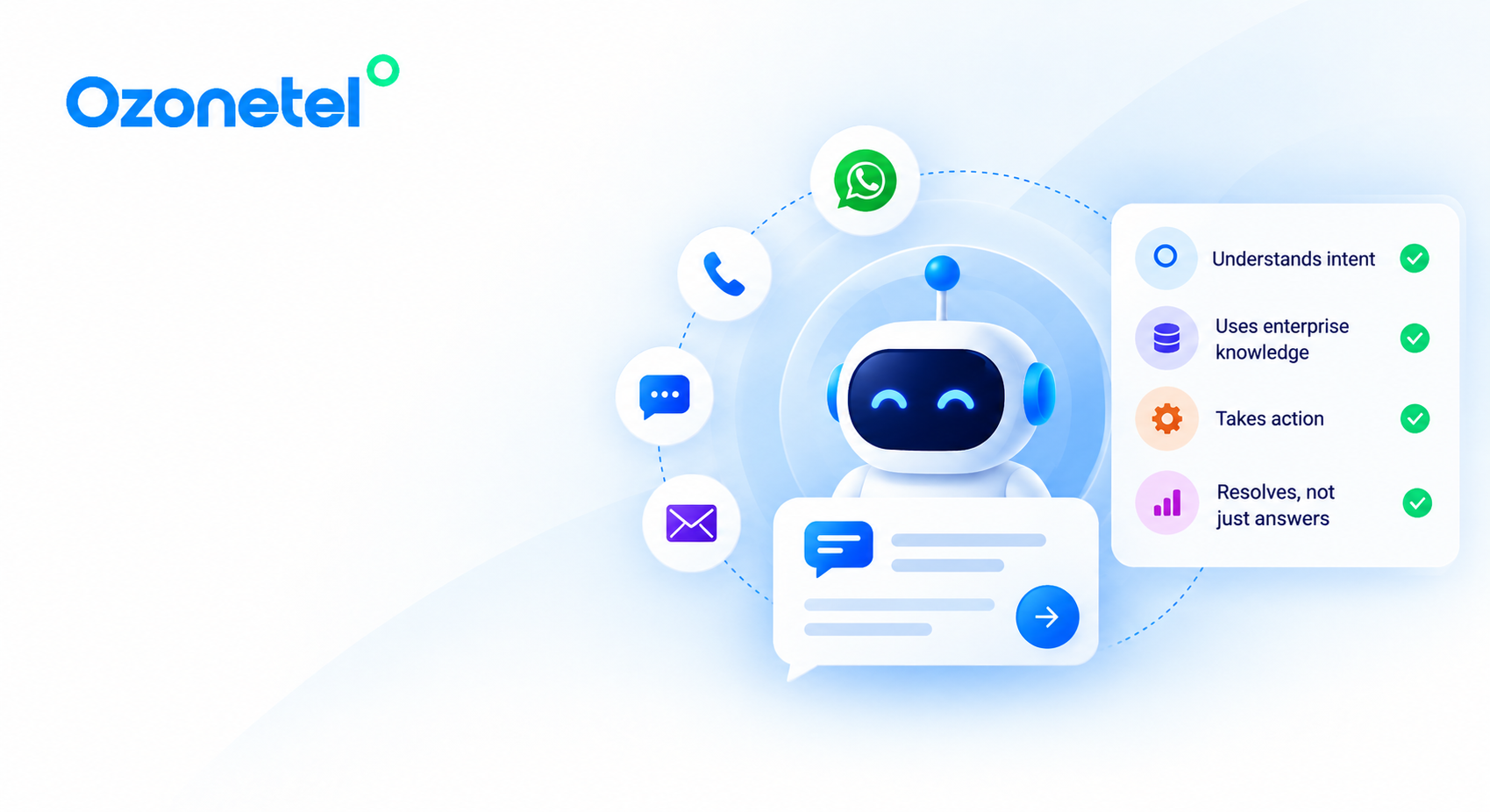
- Ozonetel pairs telephony with AI-powered routing, 50+ CRM integrations, omnichannel engagement, and contact-centre automation. It is built for scale rather than basic call handling, and pricing is custom-quoted rather than publicly listed.
- Budget-first options like MyOperator and Acefone can cover basic IVR, virtual numbers, and call tracking, but buyers should compare them carefully against AI depth, CRM workflow maturity, omnichannel capability, and enterprise support needs.
- TRAI/DoT compliance, DLT support, DND scrubbing, call recording controls, and data-handling rules are hard requirements for India-facing providers, not optional checkbox features.
- G2 scores vary by both rating and review volume. A 4.6 rating from hundreds of reviews carries a different level of confidence than a 5.0 rating from one or two reviews.
7 Outbound Calling Problems (And How to Fix Them)
1. Your Agents Spend Too Much Time Dialing
Manual dialing looks simple on paper, but it adds real friction: finding the number, typing it in, waiting for it to connect, hanging up if it fails, moving to the next one. Multiply that across hundreds of calls a day, and it’s a lot of dead time.
An auto dialer closes that gap. It dials automatically, filters out the calls that don’t connect, and only puts an agent on the line once someone actually picks up. Less dialing, less idle time, more of the day spent talking.
CEAT saw this play out directly. Screen pop and auto dialers cut their average CRM update time by more than 30 minutes a day per agent and brought their dialer SLA down from 4.5 hours to 30 minutes — a 30% jump in outbound efficiency without adding a single seat.
2. Too Many Calls End Before an Agent Ever Talks to a Customer
Busy signals. No answer. Invalid numbers. Voicemail. Answering machines. A huge share of outbound attempts never become a real conversation, and working through all of them by hand eats an agent’s day for nothing.
Answer machine detection helps here — it recognises when a call has hit voicemail and disconnects before it wastes anyone’s time. For calls that do land on voicemail, an automated drop can leave the approved message and move straight to the next contact instead of an agent repeating themselves all day.
The dialing method matters too. A predictive dialer suits large, high-volume campaigns where the priority is keeping agents talking. A progressive dialer waits until an agent is actually free before placing the next call — slower, but more controlled. A preview dialer gives agents a moment to look at customer details first, useful for high-value or sensitive conversations. An IVR dialer skips the agent altogether and delivers a recorded message at scale — fine for reminders that don’t need a human on the line.
See how the different dialing modes work →
3. Your Agents Don’t Know Which Lead to Call Next
This is where outbound gets more sophisticated than just “dial faster.”
Not every lead deserves the same priority. A prospect who filled out a form ten minutes ago is a different call than one who’s been sitting untouched for three days. Segmentation, customer history, and agent availability should decide who gets called next — not whoever’s on top of the pile.
It’s also about which agent, not just which lead. Automatic call distribution spreads the load evenly so nobody’s overwhelmed while someone else sits idle, and skill-based dialing sends a lead to whoever’s actually equipped to handle it.
Poonawalla Fincorp shows what happens when that prioritization actually works. Digital leads that used to take up to 24 hours to reach an agent now get pushed straight into the dialer within 15 minutes. The payoff: a 3X jump in conversions, 50% of routine queries resolved without an agent, and a 65% lift in NPS.
4. Follow-Ups Keep Falling Through the Cracks
Missed callbacks. Retries that never happen. Leads that quietly age out because nobody circled back. Calls that depend entirely on an agent remembering to make them.
A follow-up shouldn’t hinge on memory, or on one channel doing all the work. If a call doesn’t land, an SMS, WhatsApp message, or email can pick up where it left off instead of just trying the same number again.
HDFC ERGO is a decent example of this playing out. The insurer stopped relying on calls alone for renewals and spread the campaign across dialer, IVR, SMS, and email — renewal time dropped by half, and their renewal rate climbed to 85%.
5. Agents Waste Time Looking for Customer Information
This is the CRM problem. An agent picks up and has no idea who they’re talking to, what was said last time, or where this lead stands — so the first thirty seconds go to figuring that out.
The fix is pretty simple in concept: customer details should show up the moment the call connects, not require a search, and the call should log itself back into the CRM automatically when it’s done.
Saboo RKS, an auto dealer in Hyderabad, saw what that looks like in practice. Connecting their dialer to Zoho CRM got them 50% more customer conversations, 45% more sales, and a third off their average handle time.
6. Managers See Call Volume — But Not What It’s Producing
Is 10,000 calls actually better than 5,000? Not necessarily — and that’s the trouble with judging outbound by volume alone. What actually counts is what those calls turn into, which is what the ROI section below gets into.
7. Scaling Outbound Calling Means Adding More Agents
The usual math: more leads means more calls, more calls means more agents, more agents means more cost. It feels inevitable until automation actually breaks the chain.
Better utilization and smarter workflows mean each agent handles more real conversations without a matching headcount increase. ClearTax is a good example — once dialing and CRM stopped being separate jobs, their campaigns got 3X more effective and agents became 30% more productive.
But scaling shouldn’t mean calling people indiscriminately. As volume grows, it needs guardrails: time-zone-aware calling windows, consent handling, DND checks, sensible retry limits, and number masking so agents can’t see someone’s raw personal number.
Capacity is also about holding up under pressure, not just growing steadily. During a period of unusually high demand, Dr Lal PathLabs ran multi-level IVR and masked virtual numbers and kept 99.9% uptime with lower call abandonment throughout.
The goal isn’t making agents work more. It’s making more of their working time productive, without losing control or a customer’s trust along the way.
How to Measure the ROI of an Auto Dialer
Raw call counts don’t tell you much on their own. What actually matters is a smaller set of numbers: contact rate, connect rate, talk time, conversion rate, and cost per conversation, tracked before and after automation.
Before automation looks like this: manual dialing, waiting, unanswered calls, manual retry, administrative work. After: automated dialing, call-progress handling, agent connection, automated follow-up, performance insights ready to act on.
The formula itself is simple enough:
Auto Dialer ROI = (Additional Revenue + Cost Savings − Technology Cost) ÷ Technology Cost × 100
But the real story is what feeds that number — the kind of shift you saw with Poonawalla Fincorp above, where a faster lead response alone drove the conversion jump and the productivity gains that follow it.
The ROI of an auto dialer isn’t really about how many calls your team can make. It’s the extra productive capacity those calls create, and what that capacity turns into.
Outbound Campaigns Are Not Limited to Sales
An auto dialer isn’t just for chasing new leads. The same setup runs payment reminders, renewals, appointment confirmations, onboarding calls, delivery updates, feedback surveys, and win-back campaigns.
High-volume lead outreach usually wants predictive or progressive dialing. Complex or high-value prospects do better with preview dialing, where an agent has context before the call connects. Reminders and notifications often don’t need an agent at all — IVR or automated calls handle those fine. Dormant leads need segmented lists with sensible retry rules, not a blanket blast.
The underlying idea is the same one running through everything above: match the tool to what the call actually needs, instead of running every campaign the same way.
Make Every Agent Hour Count
Outbound calling doesn’t have to scale in a straight line with headcount. When agents spend less time dialing, managing dead calls, and chasing follow-ups, more of the day goes toward what actually matters — the conversations themselves.
Ozonetel brings the dialing, the CRM integrations, the retries, and the reporting together so that capacity comes from working smarter rather than hiring more. Sometimes it’s about getting more out of the team you already have.
What to Look for in a Cloud Telephony Provider
The best cloud telephony provider is the one that matches your call volume, compliance exposure, CRM workflow, and customer experience goals — not simply the one with the lowest monthly quote.
Regulatory compliance
Compliance should be the first filter for any provider handling customer calls, SMS, WhatsApp, or regulated data in India. Check whether the provider supports TRAI/DoT requirements, DLT registration for messaging, DND scrubbing, call recording controls, caller ID governance, and secure data-handling workflows. Ozonetel is built for India-facing enterprise communication workflows where compliance, auditability, and secure customer interaction handling matter at scale.
Call quality and reliability
Call quality becomes a business metric when sales, support, or collections teams depend on every conversation going through cleanly. Evaluate connection success rate, latency, uptime commitments, network redundancy, failover options, and performance during campaign spikes. Ozonetel is designed for high-volume contact-centre environments with dashboards and operational monitoring to help supervisors track call and agent performance.
Routing and IVR depth
A basic IVR can answer calls, but an enterprise-ready IVR should route customers based on intent, language, customer value, agent skill, business hours, and CRM context. Ozonetel combines AI-powered IVR, intelligent routing, ACD, and omnichannel routing for teams that need more than static menu-based call flows.
CRM and workflow integration
A cloud telephony platform is only useful if call data reaches the systems your teams already use. Prioritise maintained connectors for your CRM, helpdesk, or sales platform over generic API access. Ozonetel offers 50+ CRM integrations, including Salesforce, Zoho, HubSpot, Freshdesk, and LeadSquared, helping teams reduce manual logging and improve follow-up quality.
AI and agent productivity
AI should improve resolution speed, call quality, and agent consistency, not just add another feature label to the product page. Evaluate AI routing, agent assist, automated summaries, conversation intelligence, quality monitoring, sentiment analysis, and knowledge suggestions. Ozonetel’s AI suite includes Voice AI Agents, Agent Assist, Voice of Customer, Quality Audits, and Knowledge AI for contact-centre teams that want to improve both automation and human-agent performance.
Pricing transparency and total cost
The cheapest monthly plan is not always the lowest-cost deployment once minutes, numbers, storage, APIs, onboarding, and support are included. Ask vendors to break down platform fees, number rental, call charges, recording storage, CRM integration fees, AI add-ons, support costs, and implementation charges. Ozonetel uses custom quote-based pricing for enterprise and scale requirements, so buyers should request a tailored quote rather than rely on third-party pricing estimates.
Support and onboarding
Support quality matters most during migration, campaign launches, CRM changes, and unexpected call-flow failures. Check onboarding timelines, India-based support availability, escalation paths, documentation quality, and whether the vendor supports implementation for your specific CRM and call workflows. Ozonetel is positioned for enterprise deployments where onboarding, workflow configuration, and ongoing support are part of the buying decision.
Which Provider Fits Your Buyer Type?
A 10-person sales team and a BFSI contact centre optimise for very different things. Use these buyer profiles to decide whether you need basic telephony, CRM-connected sales calling, developer APIs, or a full contact-centre platform.
For Small Businesses & Startups (1–20 users)
Pricing model and setup speed usually decide it at this size. Watch for hidden costs such as virtual number rental, per-minute rates, and setup fees. You need working IVR and call recording, not a full analytics suite you will not touch for a year.
Ozonetel fit: Ozonetel competes on comprehensive contact-centre capability rather than self-serve starter tiers, making it better suited for fast-growing startups planning to scale beyond basic IVR within 12–18 months.
For Sales Teams
CRM integration is the whole ballgame, especially a real, maintained connector for the CRM you already run rather than generic API access. Click-to-call, outbound dialers, and rep-level call analytics matter more than raw feature count.
Ozonetel fit: Ozonetel is built for sales productivity with 50+ pre-built CRM integrations, including Salesforce, Zoho, HubSpot, and LeadSquared, plus automated outbound dialers.
For Customer Support Centres
Call quality, uptime, and monitoring tools such as listen, whisper, and barge stop being nice-to-haves in support environments. A dropped call or an agent going in blind on an escalation has a direct customer-experience cost.
Ozonetel fit: Ozonetel is designed for complex CX operations with AI routing, live supervisor consoles, Agent Assist, and automated quality auditing.
For Developer / API Use Cases
Documentation quality and API reliability decide this one, not the pricing page. If you are building calling into a product rather than running a call centre, you want programmable voice APIs and enough control to avoid needing vendor support for every change.
Ozonetel fit: Ozonetel provides programmable voice APIs alongside CCaaS tooling, though standalone API buyers may also want to evaluate pure CPaaS providers such as Exotel.
Is Cloud Telephony Right for Your Business?
If your team is still running calls through personal mobiles, a physical PBX, or a patchwork of forwarding rules, cloud telephony almost always pays for itself quickly in call visibility alone. The real decision is not whether to move to cloud telephony, but which tier you need: basic virtual-number-and-IVR, CRM-connected sales calling, programmable voice APIs, or a fuller CCaaS platform with AI routing and omnichannel support.
Explore Ozonetel’s Outbound Calling Solutions
Frequently Asked Questions
Software that automatically places outbound calls from a contact list and connects an agent only once someone actually answers — no manual dialing, no sorting through busy signals.
It works through a list of numbers, detects what happened on each call — answered, busy, voicemail, invalid — and routes only the live, answered ones to an available agent.
Less idle time between calls, more talk time, faster lead response, customer context on-screen without searching for it, and clearer reporting on what’s actually converting.
By taking manual dialing and unanswered calls off an agent’s plate and surfacing customer context automatically, so the day goes toward conversations instead of the mechanics around them.
Auto dialer is the broad category. Predictive dialer is one type within it — built for high-volume campaigns, dialing ahead of agent availability to keep live-answer connects coming.
Yes — a good integration pulls lists straight from the CRM, shows customer details the moment a call connects, and logs outcomes back automatically, no manual entry required.
Yes. Most established providers integrate with CRMs and helpdesks such as Salesforce, Zoho, HubSpot, Freshdesk, and LeadSquared either through pre-built connectors or APIs. Ozonetel offers 50+ pre-built integrations; buyers should still check the depth and maintenance quality of the specific connector they need.
Yes. Retry logic and scheduled callbacks make sure a promised follow-up actually happens, even after hours, instead of depending on someone remembering.
Yes — payment reminders, renewals, appointment confirmations, onboarding, delivery updates, and win-back campaigns all run on the same setup, depending on whether the customer needs a live conversation or a quick automated notification.
CRM integration, more than one dialing mode, skill-based routing, answer machine detection, compliance controls like DND and number masking, and real reporting on contact and conversion rates, not just call volume.
Track contact rate, talk time, conversion rate, and cost per conversion before and after automation, then weigh the added revenue and time saved against what the platform costs.